Website owners with Google Tag Manager are able to install code to track users that have seen/clicked-on ads and tie custom website actions (conversions) back to them.
Website owners with Google Tag Manager are able to install code to track users that have seen/clicked-on ads and tie custom website actions (conversions) back to them.
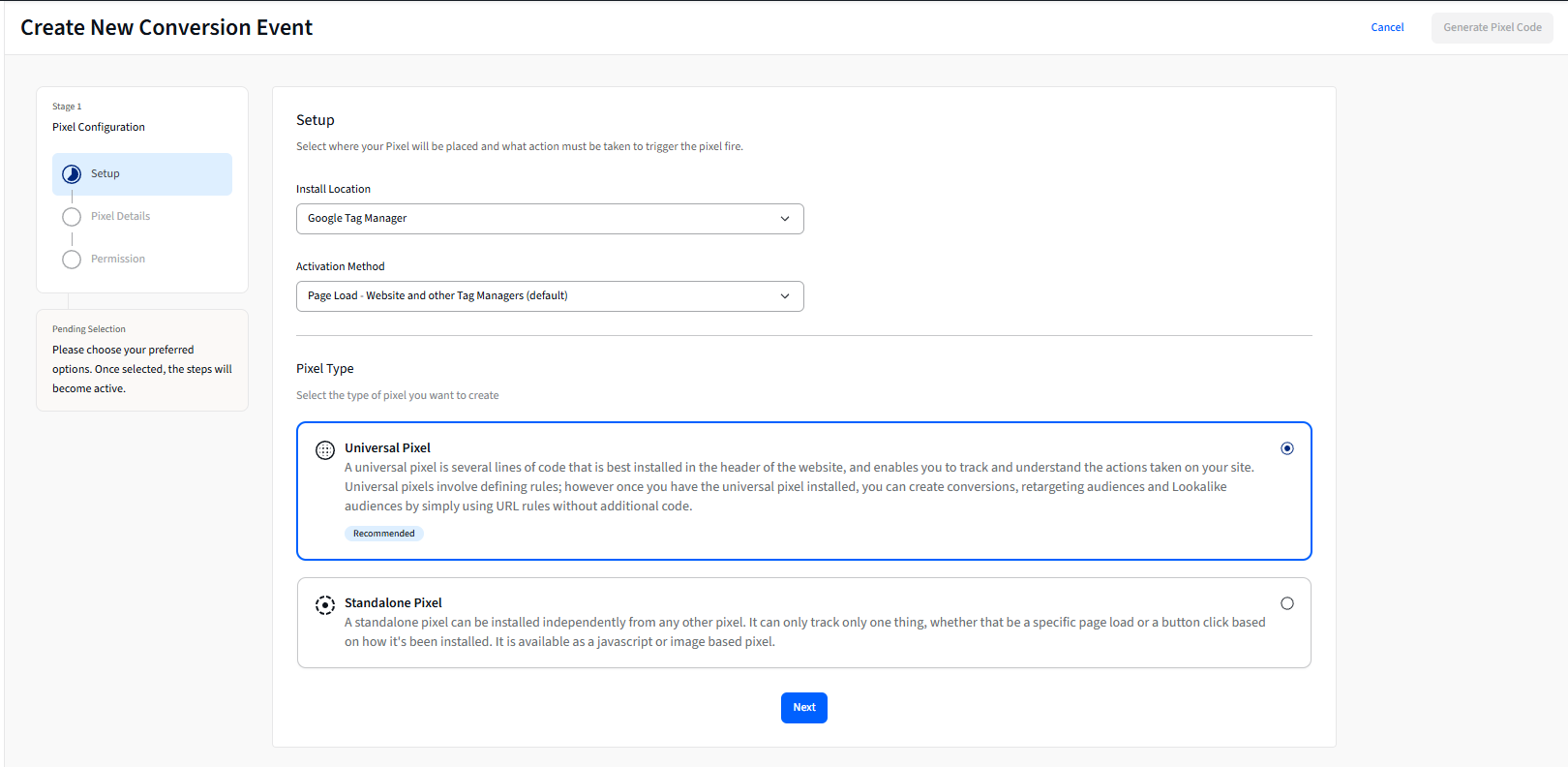
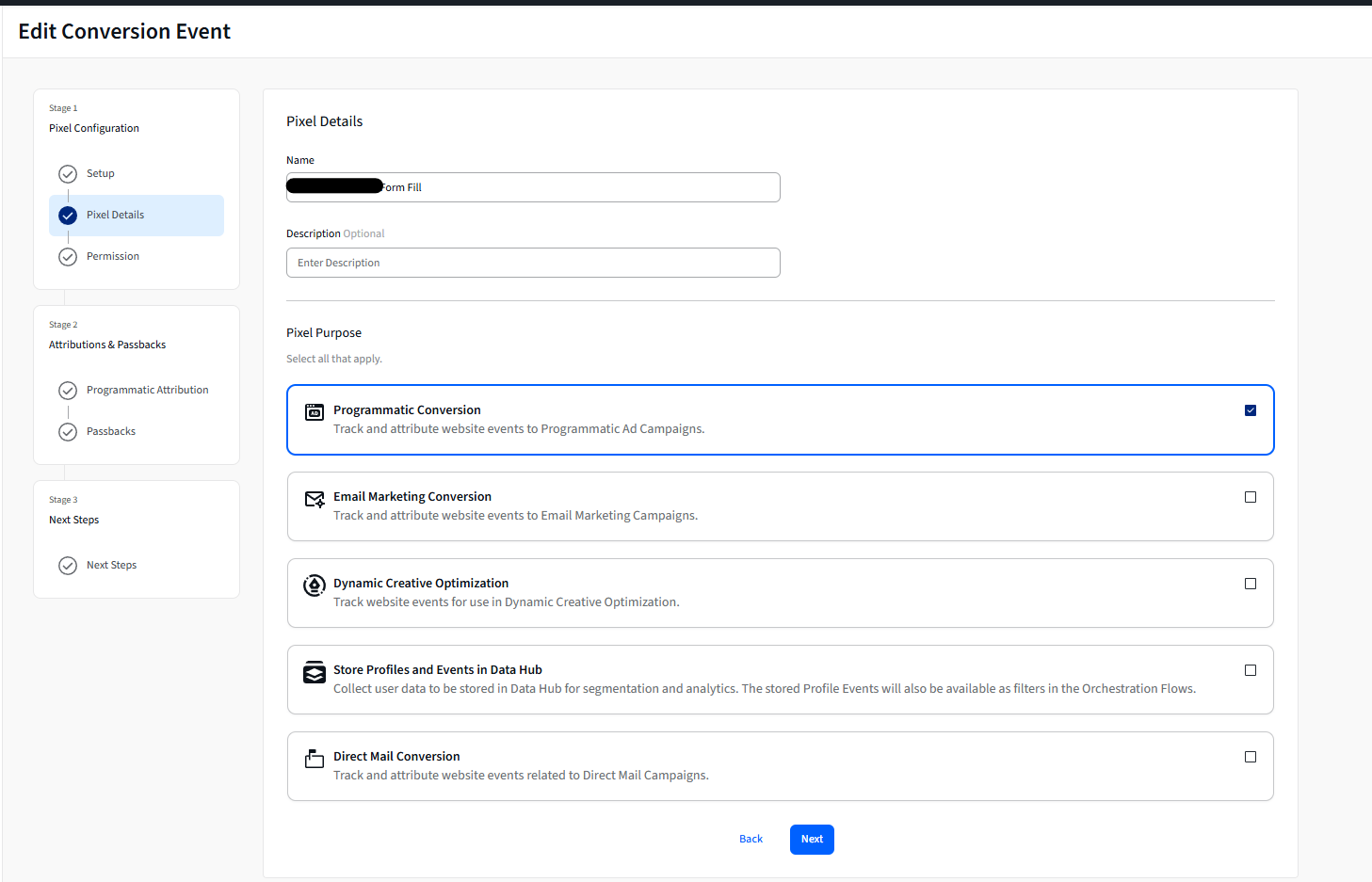
First, generating the Universal Pixel.
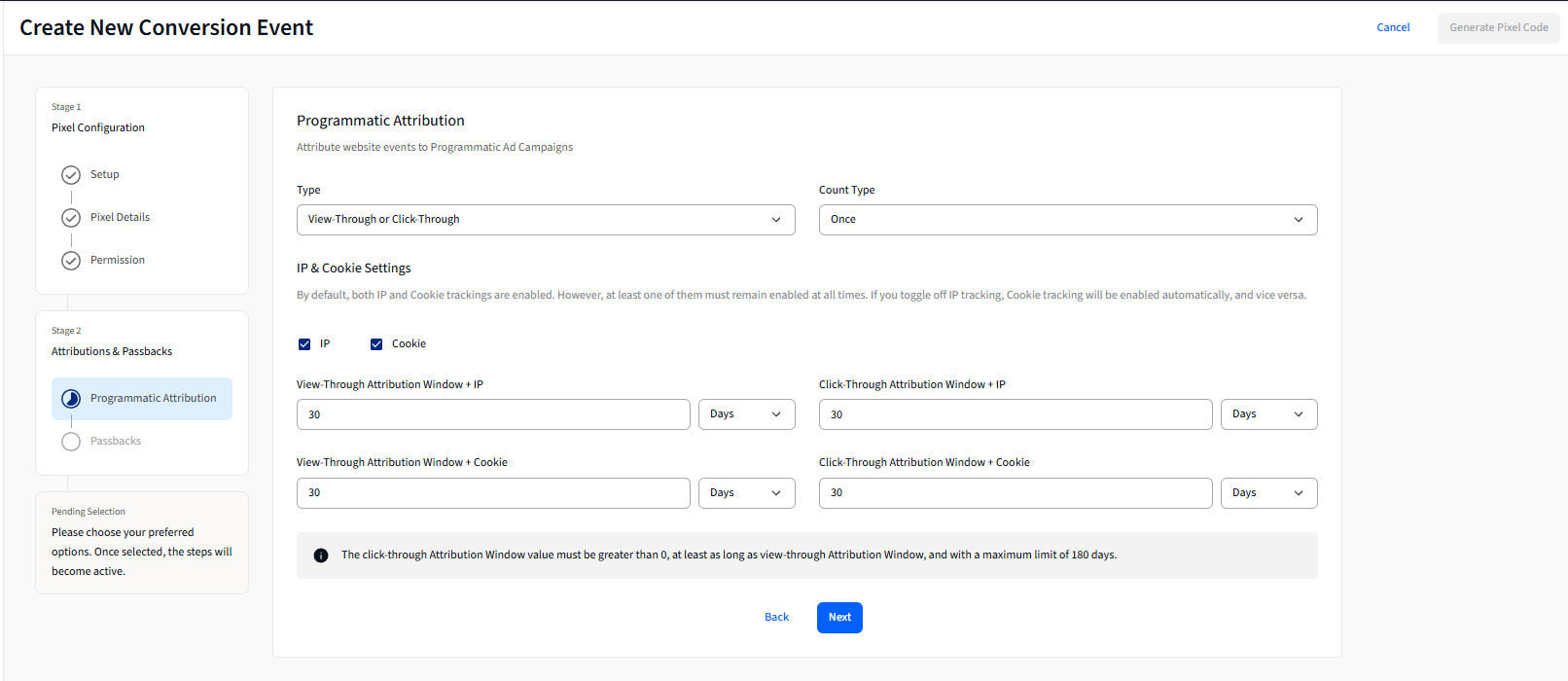
Where settings live to decide attribution window (ex. 30 days vs. 60 days; Post-Click vs. Post-View)
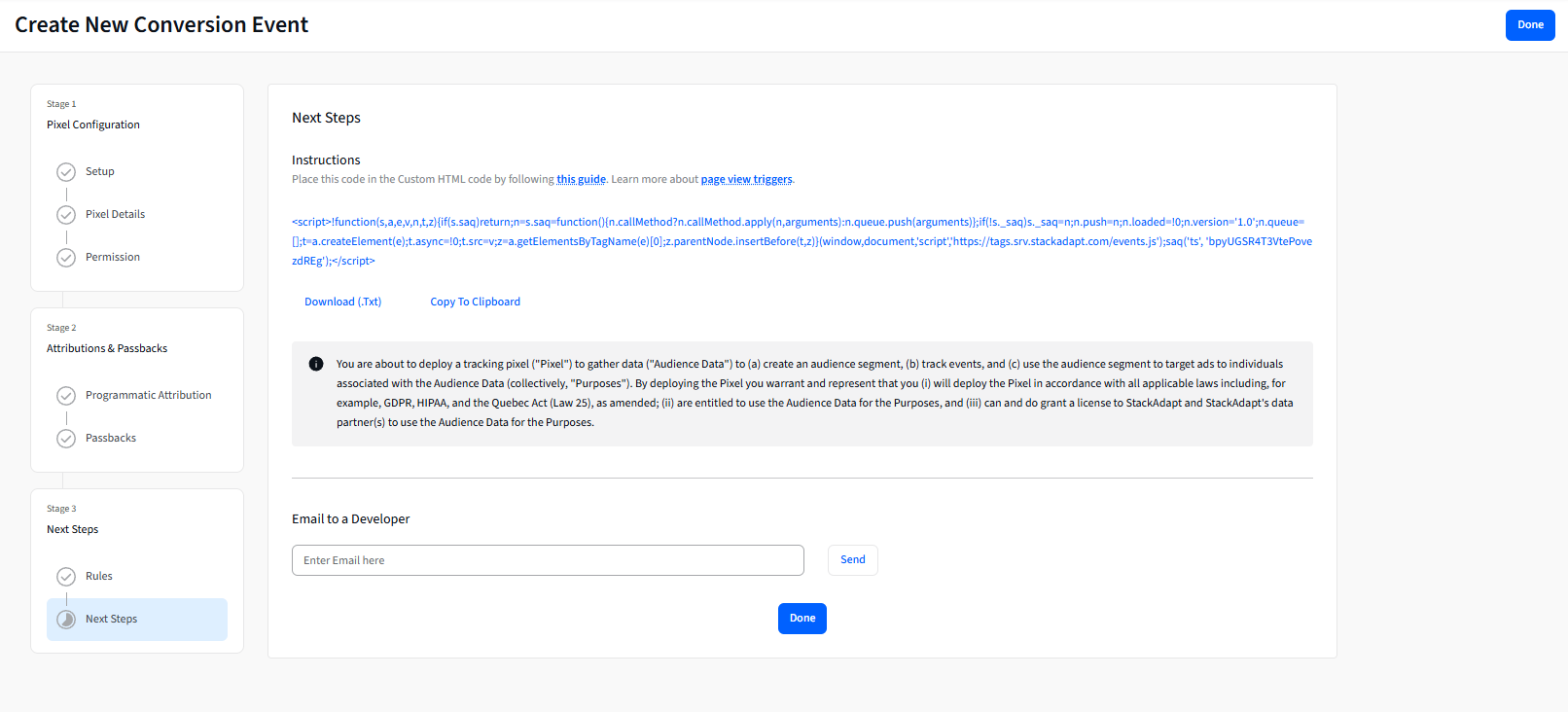
Copying Custom HTML code to input into Google Tag Manager
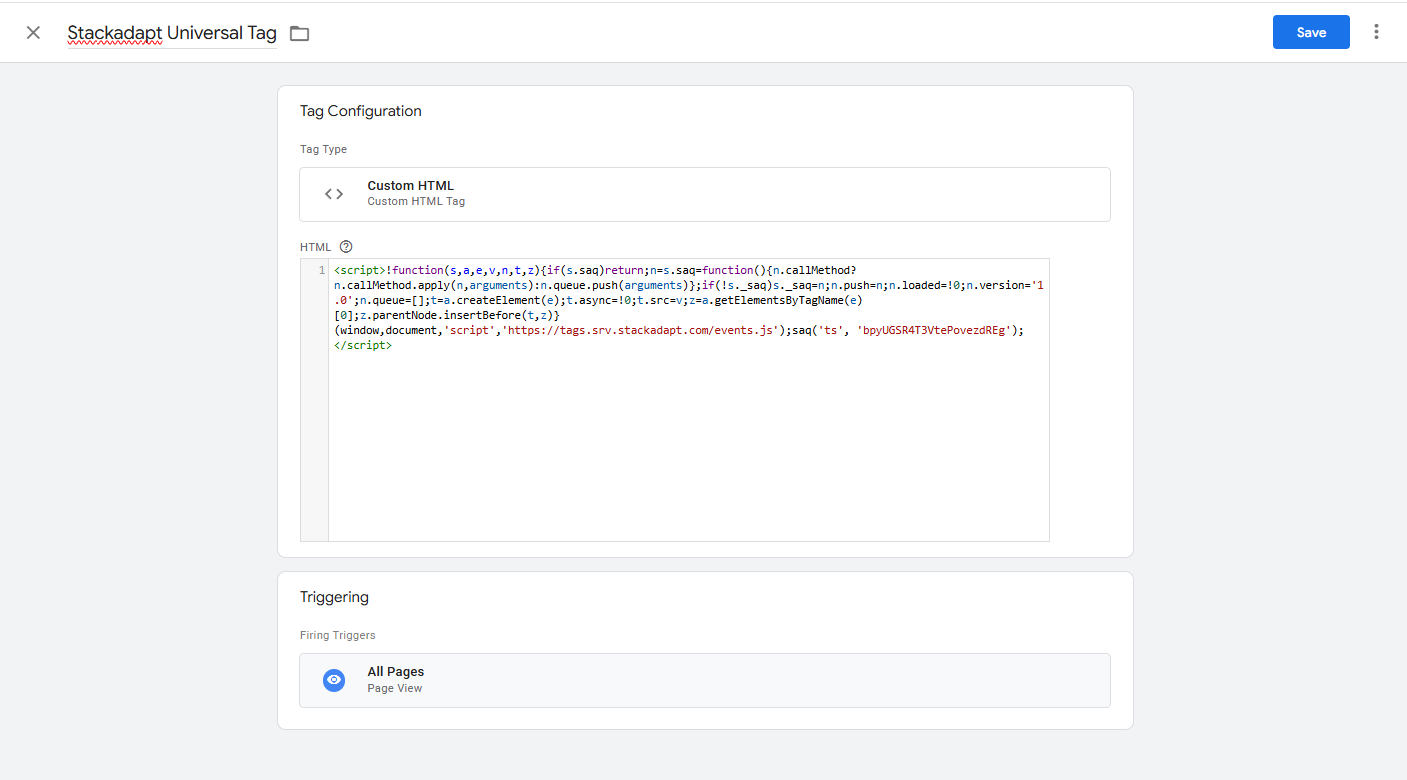
Pasting Custom HTML code into GTM, with Universal Pixel set to fire on All Pages.
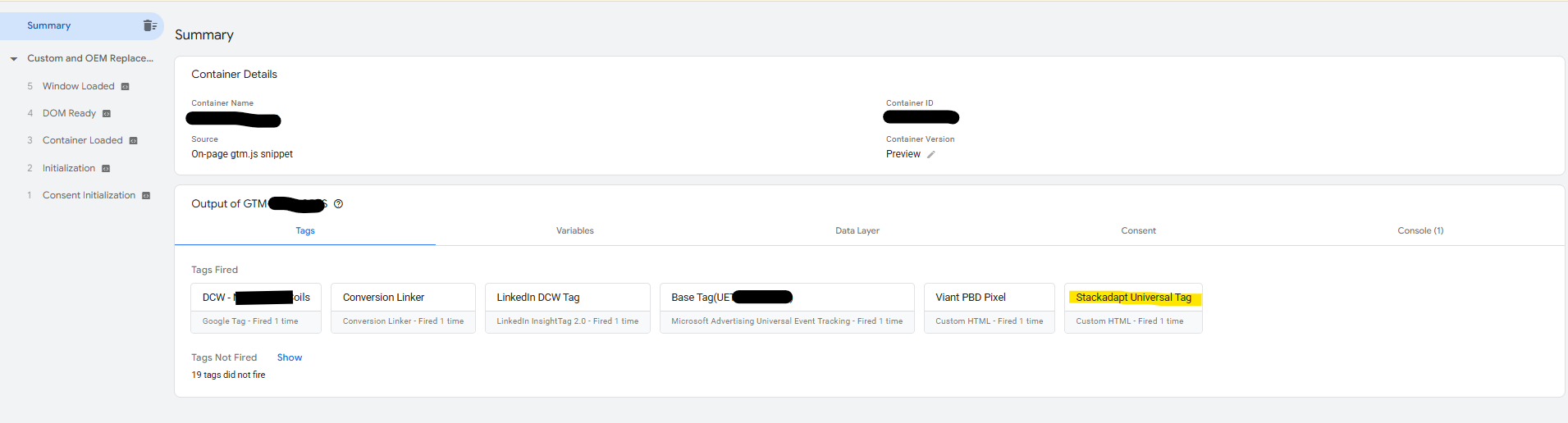
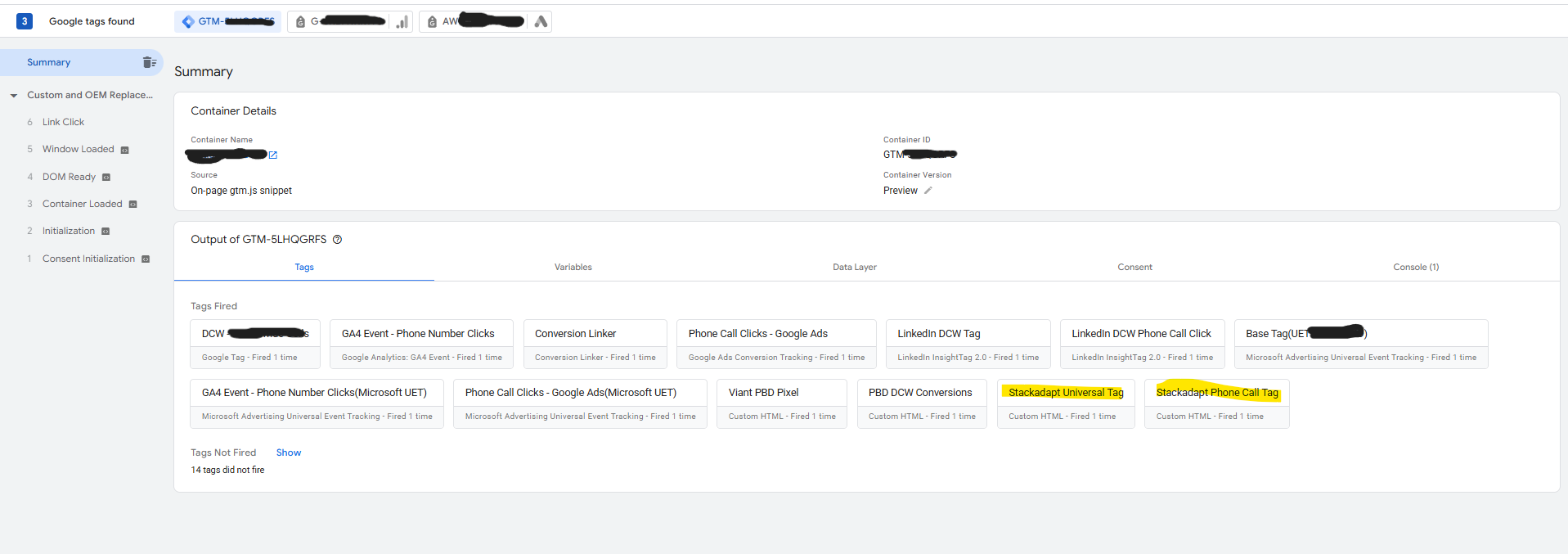
Confirmed Universal Pixel firing.
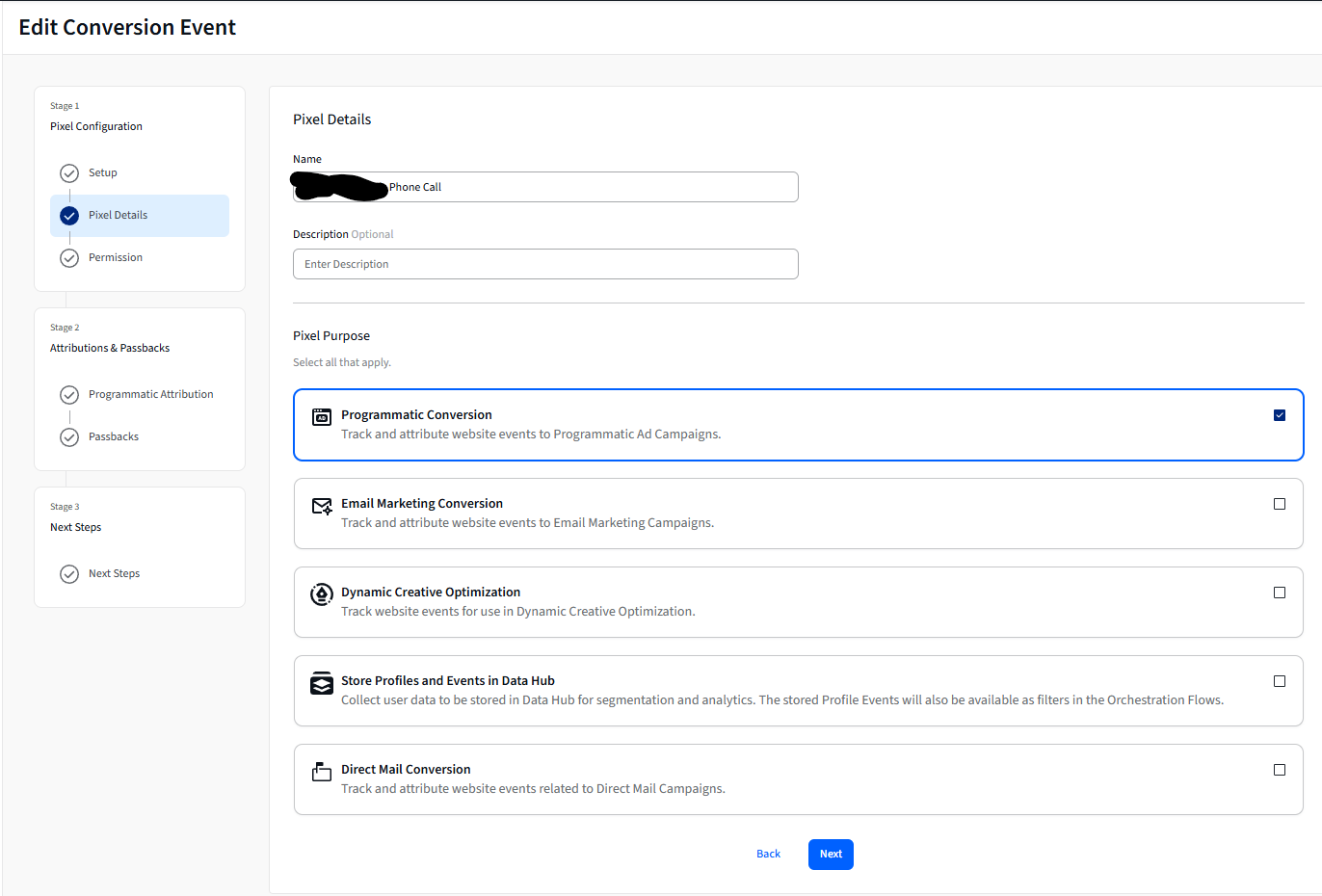
Created unique pixel to track Phone Call conversions. Installed using same process as Universal Pixel
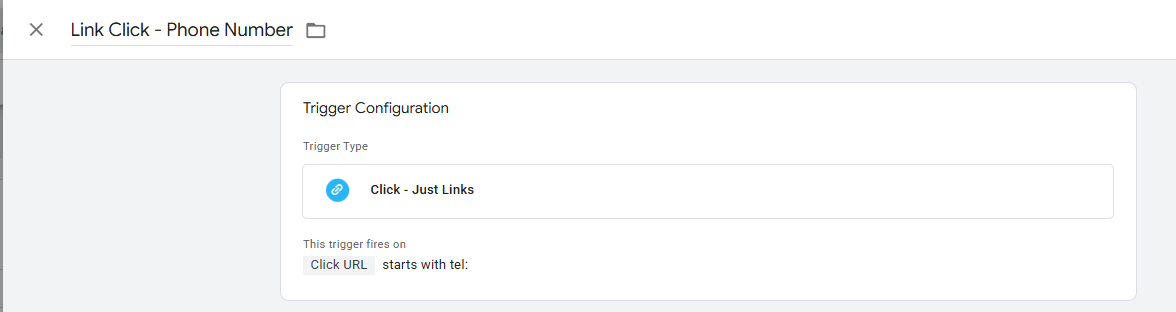
Based on click action containing “tel:” (only fires when dialer opens).
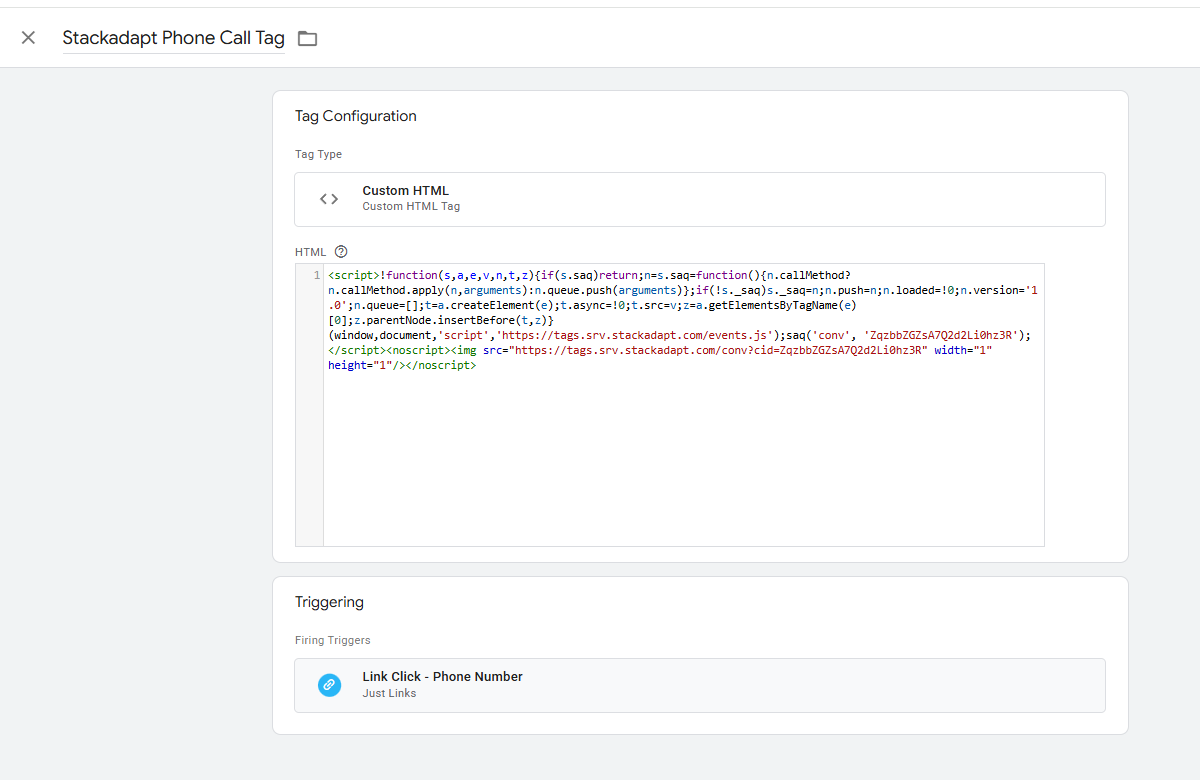
Installation of Custom HTML pixel for Phone Calls using Phone Call Trigger.
Using Preview window in GTM, confirmed pixel fired upon clicks opening dialer.
Created pixel to track form fill conversions.
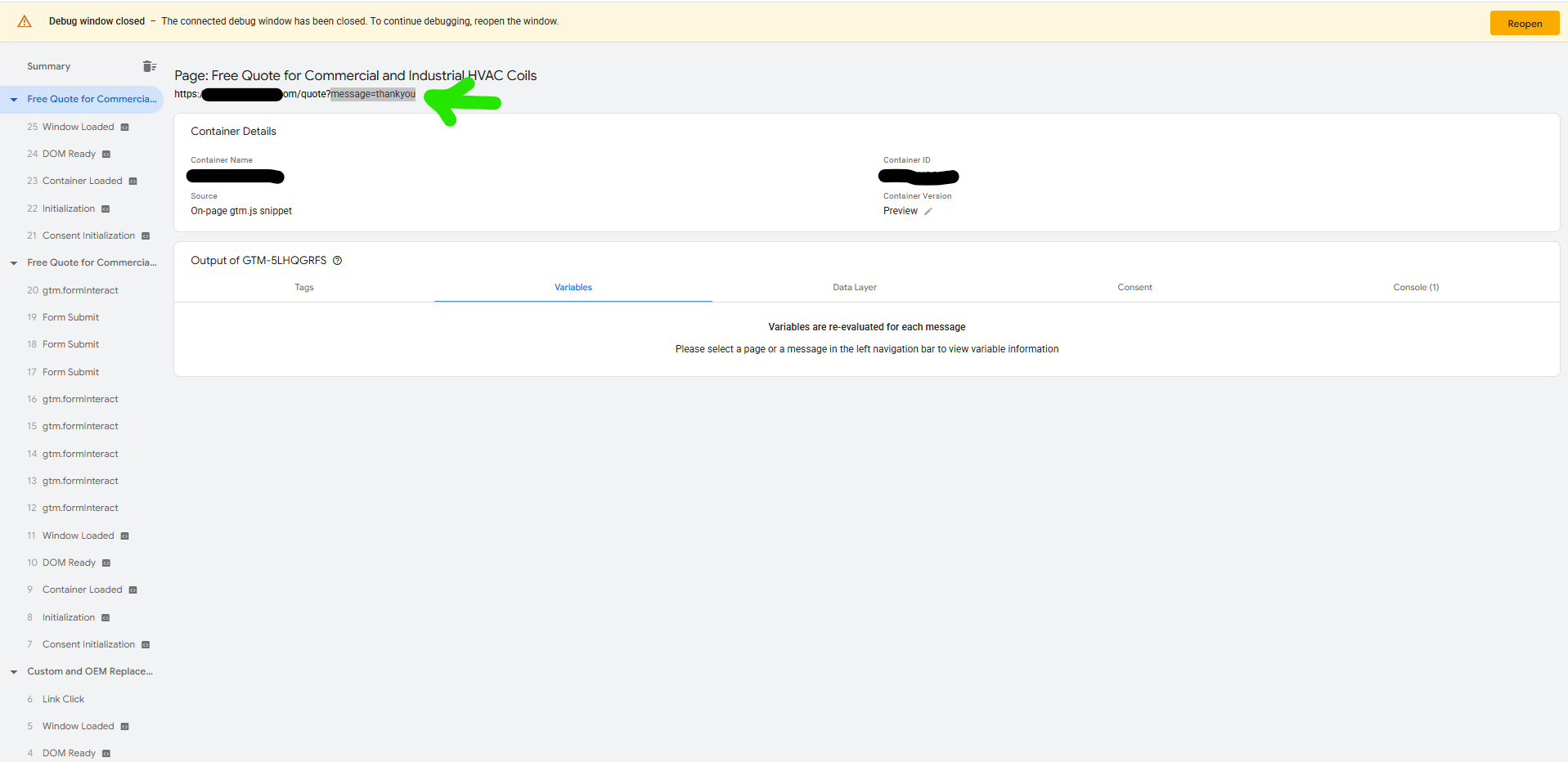
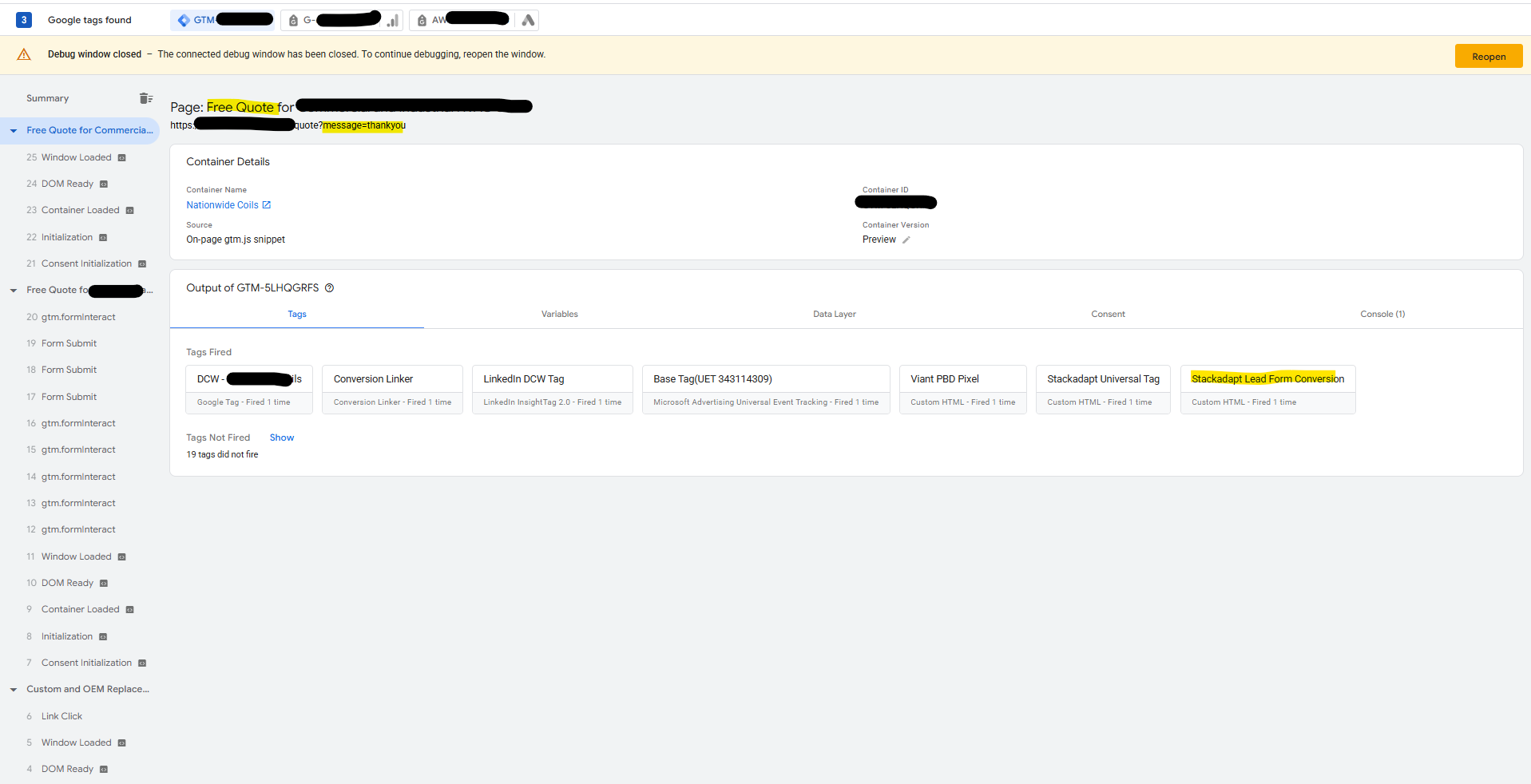
Did a test form fill submission in order to find unique criteria to build a trigger upon. Although domain and “/quote” remained the same after form fill, “message=thankyou” is a unique identifier.
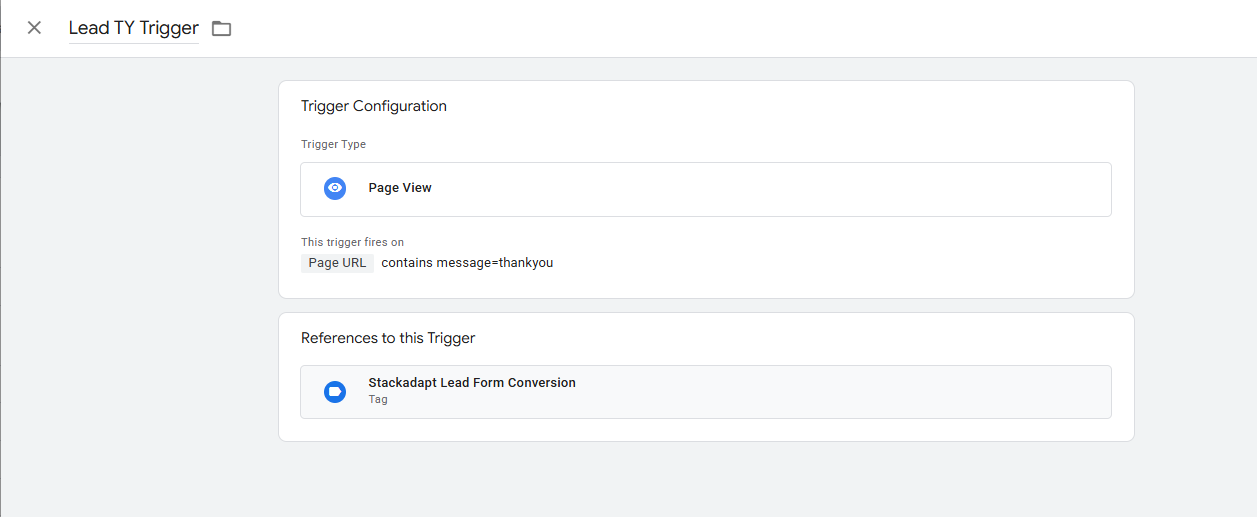
Created the trigger based on the unique identifier in the URL string, which only appears after the form is successfully filled.
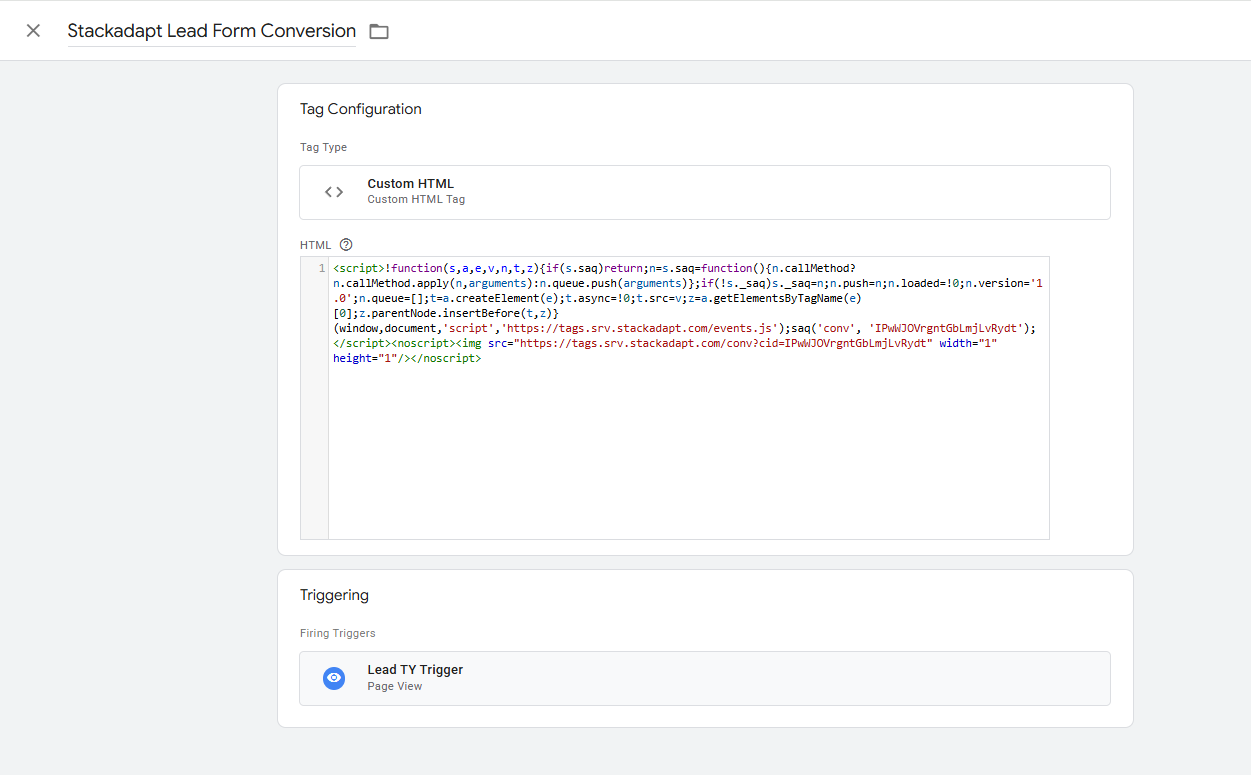
Pasted Custom HTML code into GTM with Trigger created for Form Fills.
Tested a form submission via GTM Preview mode and confirmed new form fill pixel fired.
